App Install Campaigns: The Hands-On Setup Guide for 2026
Most app install campaigns fail in the setup screen, long before the creative or the budget gets a fair test. This is the channel-by-channel build we use on client accounts, from the first optimisation goal to the fixes we reach for when numbers wobble.
Key takeaways
- The optimisation goal is the most important setting in any app install campaign. Pick the deepest event you can feed with enough volume, not the one that looks best on a slide.
- Google App campaigns build ads for you from assets, so the quality and variety of what you upload is your main lever. Give the system real options in every asset slot.
- Meta and TikTok reward simple structures with fewer, bigger ad sets. Splitting budget across many audiences starves every ad set of the events it needs to learn.
- Apple’s App Store search ads behave more like classic search: keywords, match types and a clean split between brand, category, competitor and discovery campaigns.
- Most performance problems trace back to tracking, goal choice or impatience during learning. Check those three before you touch creative or budget.
01What app install campaigns are, and why setup decides the outcome
App install campaigns are paid campaigns built to send people from an ad straight to the App Store or Google Play listing, then report what those people did after they installed. Every major ad platform has its own version, and on paper they look alike: pick an app, choose a goal, upload some creative, set a budget. In practice, the settings you choose in the first ten minutes shape how the algorithm spends every pound for the next three months.
We see this constantly when we take over accounts. A fitness app optimising for installs because it was the default. A fintech app running Google App campaigns with three images and no video, so the system auto-generated clips from screenshots. An edtech app with eleven Meta ad sets each spending a few pounds a day, none of them leaving learning. None of these teams had a creative problem or a budget problem. They had a setup problem.
This guide stays hands-on and close to the controls. If you want the wider system around it, channel mix, budgets by stage and the 90-day plan, start with our app user acquisition guide. Here we cover how we actually build app install campaigns on Google, Meta, TikTok and Apple’s App Store search ads, and how we fix them when they go sideways.
02Choosing the optimisation goal for app install campaigns
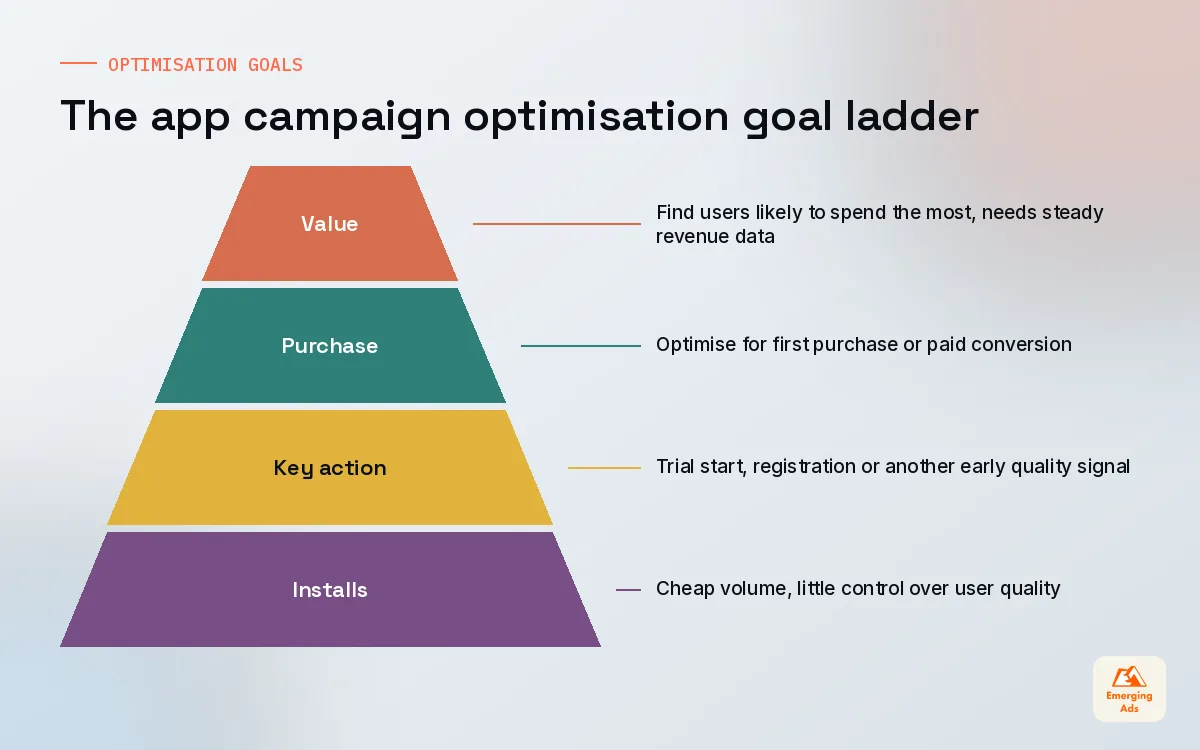
Every platform lets you tell it what success looks like. The three broad options are the same everywhere: optimise for installs, optimise for a specific in-app action such as a registration, trial start or first purchase, or optimise for value, where the platform tries to find users who will spend more. The names differ by channel but the logic does not.
Install goals give you cheap volume and very little say over quality. In-app action goals cost more per install but bring users who actually do something. Value goals need the most data and the cleanest revenue tracking, and they can find your best customers once they are working. The mistake we fix most often is a team jumping straight to value with a handful of purchases a week, which leaves the algorithm guessing.
| Goal | What the platform hunts for | When we use it | Watch out for |
|---|---|---|---|
| Installs | Anyone likely to install | Brand new apps with no event history, or games that monetise on ads at scale | Cheap installs that never open the app twice |
| In-app action | People likely to complete one chosen event | Most subscription, fintech and marketplace apps once events fire reliably | Choosing an event too deep to reach volume |
| Value or ROAS | People likely to generate the most revenue | Apps with steady purchase volume and clean revenue passed back | Thin data, delayed revenue and noisy iOS signals |
How deep should the event be?
Our rule is to choose the deepest event that still happens often enough for the platform to learn from it each week. For a subscription app that might be trial start rather than paid conversion. For a marketplace it might be first search with a filter rather than first order. If you are unsure which events predict long-term value, our guide to app LTV covers how we find those early signals. We map every candidate event in the app’s product analytics first, then pick the one that sits closest to revenue without dropping below a usable weekly count.
03Setting up Google App campaigns that actually learn
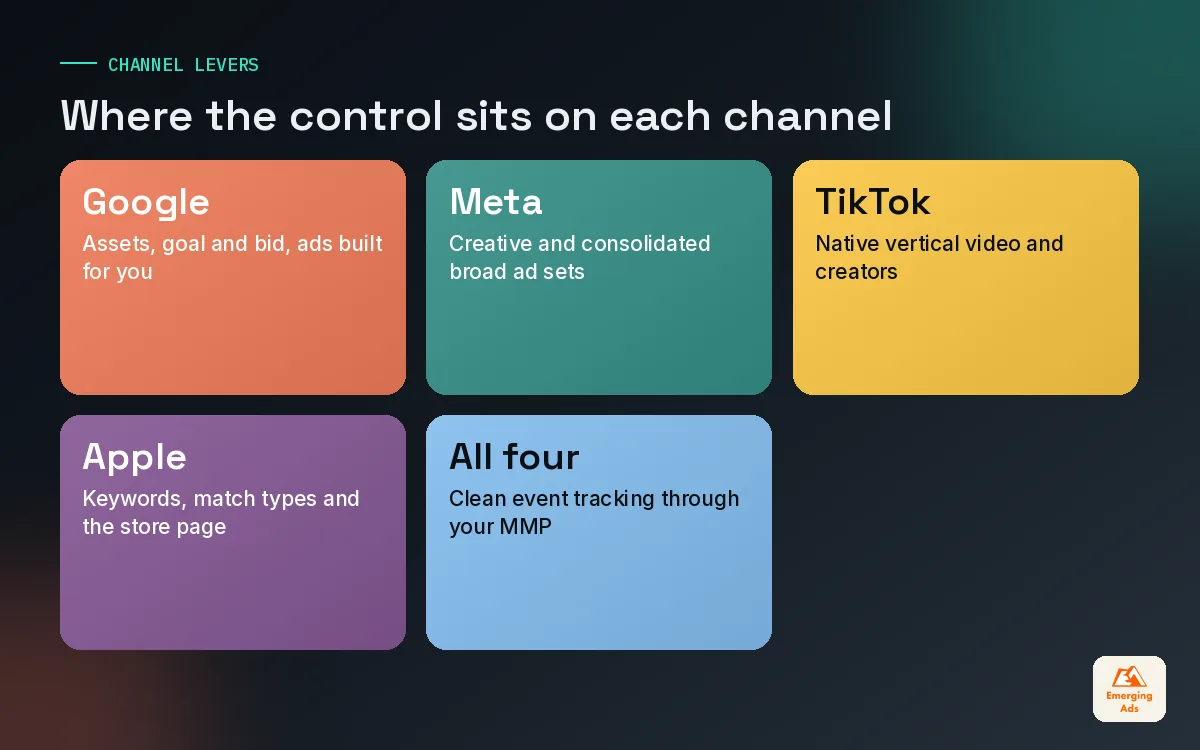
Google App campaigns are the least manual of the major app install campaigns. You do not pick placements or build individual ads. You supply text, image and video assets, and Google assembles ads that run across Search, Google Play, YouTube, Discover and the Display Network. That means your influence comes almost entirely from three places: the goal, the bid and the assets.
Campaign subtypes and bids
On accounts we manage, a new Android app usually starts with an install-focused campaign while in-app events build up, then moves to an action-focused campaign with a target cost per action once the chosen event fires in healthy numbers. Value-based bidding with a target return comes later, if at all. We set the first target close to what the account is already achieving rather than the number finance wishes it were. A target that is too aggressive simply throttles delivery, and the campaign never gathers enough data to improve.
Assets: where most of the control lives
Because Google builds the ads, the assets are your creative strategy. Upload several distinct headlines and descriptions, wide, portrait and square images, and video in more than one orientation. When video is missing, the system may make its own from your images and store listing, and those auto-generated clips rarely perform. We pair this with our YouTube ads team so the video assets are cut for the placements they will actually serve in.
Check the asset report every couple of weeks. Assets marked low performing get replaced, but never all at once. Swapping every asset in one go resets what the campaign has learned. This is the same discipline we apply on any Google Ads account, just with fewer levers and more patience.
04Building Meta and TikTok app promotion campaigns
Meta and TikTok both run app install campaigns through an app promotion objective. Both reward broad targeting, few ad sets and strong creative, and both punish fragmentation. If you only take one idea from this section, take this: consolidate. One well-funded ad set will nearly always learn faster than five thin ones.
Meta app promotion
On Meta we connect the app, confirm events are arriving through the SDK or the MMP, and choose the optimisation event before anything else. Meta also offers more automated app campaign options that handle audience and placement decisions for you. On most of our Meta app campaigns we test the automated route against a manual one with broad targeting, and let results decide. Interest stacks and narrow lookalikes rarely earn their keep on app accounts any more, because the creative now does most of the targeting work.
TikTok app promotion
TikTok works best when the ads look like TikTok. Native, vertical, sound-on and fast. Setup follows a similar pattern: connect the app through your MMP, choose installs, an in-app event or value, then keep ad groups broad. We often run creator content through Spark Ads so the post sits on a real account and collects engagement, which tends to help both cost and trust. For the wider TikTok advertising plan, budget the first few weeks as a learning cost, not a performance test.
The creative side of all this, which concepts and hooks to test and how to spot fatigue, is covered in depth in our app ad creative guide, so we will not repeat it here.
05Running Apple's App Store search ads alongside the rest
Apple’s App Store search ads are the odd one out. They appear inside the App Store itself, often at the top of search results, so the user is already looking for an app. That makes them closer to classic search advertising than to social. Keywords, match types, bids per keyword and negative keywords all matter here in a way they do not on Meta or TikTok.
The structure we use on nearly every account splits campaigns by intent:
- Brand. Your own app name and its misspellings, on exact match. Usually cheap and high converting, and it protects you from competitors bidding on your name.
- Category. Generic terms that describe what the app does, such as budget planner or sleep sounds. This is where most new users come from.
- Competitor. Other apps’ names. Conversion is lower and costs can be high, so we keep these on tight bids and watch them weekly.
- Discovery. Broad match and automated matching to find new search terms. Winners graduate to exact match in the right campaign and get added as negatives here.
Because the ad shows your store listing, a weak product page hurts these campaigns directly. Custom product pages let you match the page to the keyword theme, which we use often for category campaigns. Store page work belongs to our app store optimisation team, and we keep them in the same weekly call as the paid search people for exactly that reason.
The App Store search ad is the only install ad where the user asked first. Treat it like a search campaign, not a social one.
06Learning phases and bid strategies without the panic
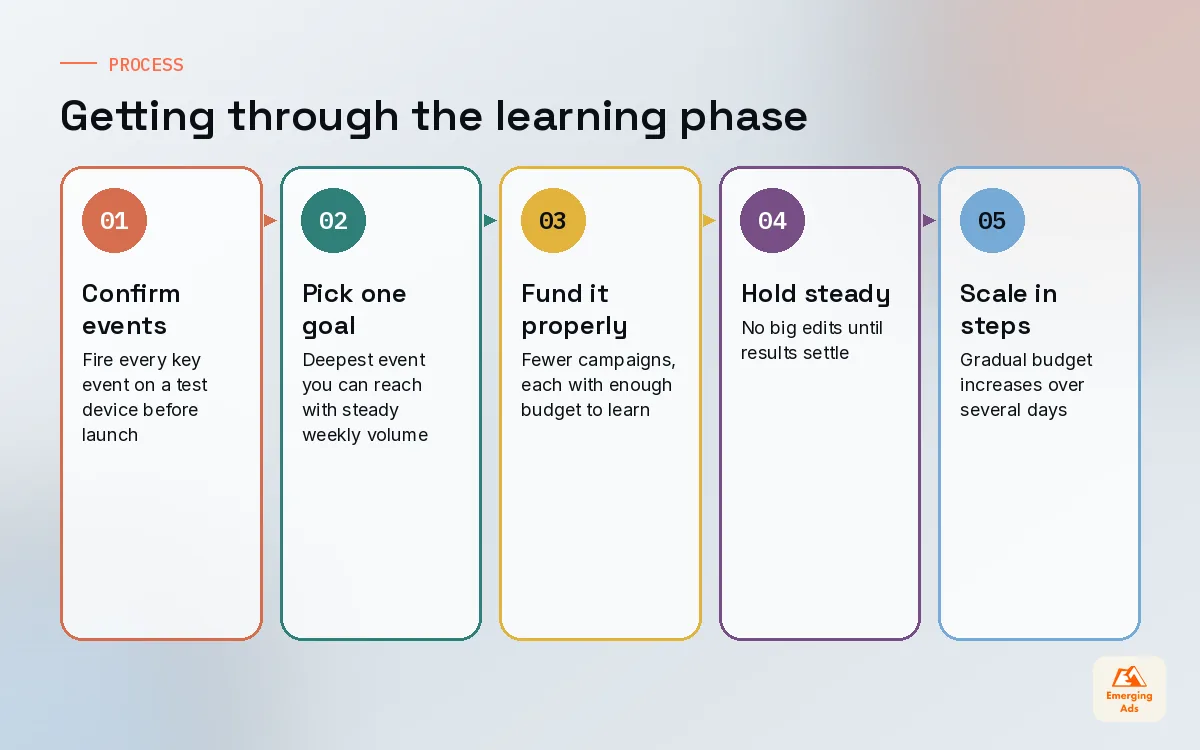
Every automated app install campaign goes through a learning period. The platform is testing who responds, at what cost, on which placements. Results are noisy, costs are often higher than they will settle at, and founders are tempted to intervene. Intervening is usually the most expensive thing you can do.
Each platform has its own definition of when learning ends, but the principle holds across all of them: the system needs a steady stream of the optimisation event to make good predictions. If your budget only buys a handful of those events a week, the campaign may never leave learning at all. In that case, the fix is a shallower event or more budget per campaign, not a new audience.
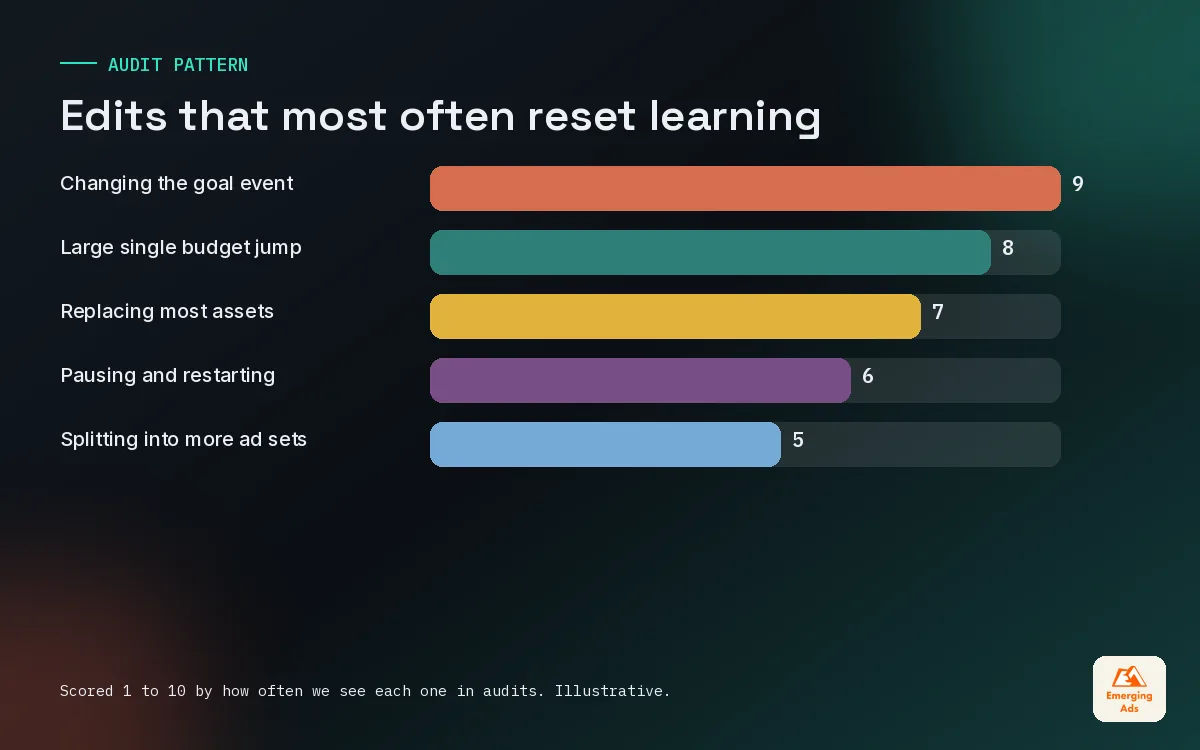
Edits that reset learning
- Changing the optimisation event or bid strategy.
- Large budget jumps in a single step. We prefer steady increases spread over several days.
- Swapping most of the creative or assets at once.
- Pausing for days and restarting, especially on smaller budgets.
Small, deliberate edits are fine. A new creative added to a healthy ad set, a modest bid change, a negative keyword on Apple. Big, simultaneous edits are what break things. We keep a written change log on every client account so that when performance moves, we can tell whether we caused it.
07Asset requirements and the pre-launch checklist
Platform specs change often enough that we always check the current help pages before a launch, but the shape of what each channel needs is stable. The table below is how we brief creative for a new set of app install campaigns.
| Channel | What it needs from you | Where we see most mistakes |
|---|---|---|
| Google App campaigns | Several headlines and descriptions, images in multiple ratios, video in more than one orientation | No video uploaded, so the system makes weak clips from stills |
| Meta app promotion | Vertical and square video, static images, primary text and headline options | Too many near-identical ads that compete with each other |
| TikTok app promotion | Native vertical video with sound, creator content, clear on-screen text | Recycled polished ads that look like ads |
| Apple’s App Store search ads | A strong product page, keyword lists, optional custom product pages | Weak screenshots dragging down tap-to-install rate |
Before any budget goes live we run the same short checklist. It saves more money than any bid strategy we know.
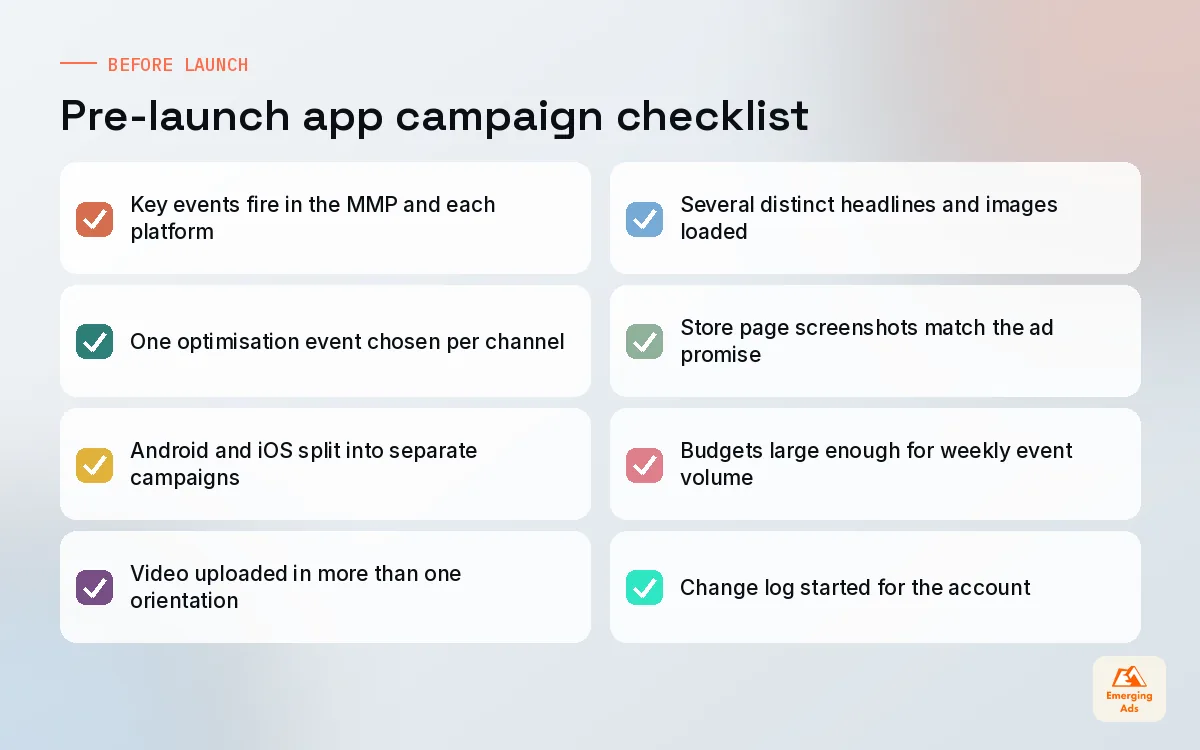
Tracking is the item teams skip most. If events are not reaching the platforms correctly, every other choice in this guide is built on sand. Our conversion tracking setup work for apps starts with firing every key event on a test device and watching it appear in the MMP and each ad platform. If you are still choosing an MMP, our mobile measurement partner guide walks through the options.
08Troubleshooting app install campaigns that stall or slip
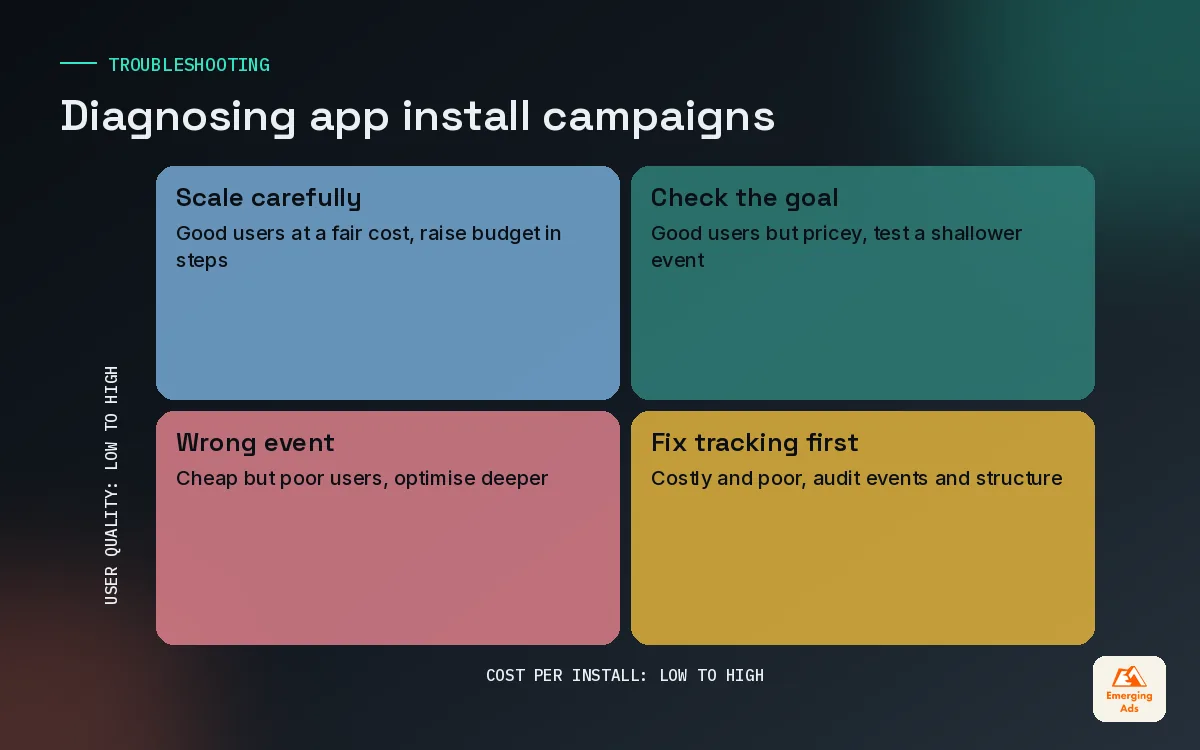
When app install campaigns underperform, the instinct is to blame creative. Sometimes that is right. More often the cause sits higher up: the goal, the tracking, the structure, or the bid. We work through problems in a fixed order so we do not waste a week testing new ads when the real issue is a broken event.
| Symptom | Likely cause | What we try first |
|---|---|---|
| Spend will not deliver | Target bid too tight or event too rare | Loosen the target, or move to a shallower event |
| Cheap installs, poor Day-7 users | Optimising for installs, or wrong event | Switch to an in-app action that predicts retention |
| Platform and MMP disagree badly | Attribution windows, SKAN delays or a broken postback | Compare windows, check postback settings, test events |
| Costs rising week after week | Creative fatigue or audience saturation | Add new concepts, not small variations |
| Stuck in learning | Too many ad sets or too little budget each | Consolidate into fewer, better funded ad sets |
Reading iOS results with care
On iOS, much of your reporting arrives through Apple’s privacy frameworks with delays and less detail. Do not judge an iOS campaign in its first few days, and do not expect platform numbers to match your MMP exactly. We line up platform data, MMP data and in-app revenue in one view, then make decisions on the trend rather than any single source. This is where attribution modelling earns its place, because it tells you how much weight to give each signal.
09Putting your app install campaigns to work
If you take this guide into your ad accounts tomorrow, start small and in order. Confirm tracking first. Choose one optimisation event per channel and write down why. Consolidate structure. Load real asset variety. Then give each campaign enough time and budget to learn before you judge it. It sounds unglamorous, and it is. It is also what separates accounts that scale from accounts that churn through agencies every six months.
If you want a sense of what this costs before committing, our piece on how much app install campaigns cost breaks down the budget side. When you are ready for help building or rescuing campaigns, our app install campaign management team runs this exact process on Google, Meta, TikTok and Apple, and you can see everything else we do on our services page.
There is more on paid growth, store pages, measurement and retention across the EmergingAds app growth blog, each written from what we see on live accounts every week.
Frequently asked questions
Straight answers to what clients ask us most about app install campaigns.
What is the difference between an app install campaign and a regular ad campaign?
Should a new app optimise for installs or in-app events?
Which platform should we launch app install campaigns on first?
How many ad sets should a Meta app campaign have?
Why does my Google App campaign keep showing low performing assets?
How long should the learning phase last on app campaigns?
Are Apple's App Store search ads worth it for small apps?
What bid strategy should we start with?
Why do my ad platform and MMP report different install numbers?
Can we run app install campaigns for Android and iOS together?
When should we bring in an agency for app install campaigns?
Want a second pair of eyes on your install campaign setup?
We will open your Google, Meta, TikTok and Apple accounts with you, check goals, events and bids against what we see working, and hand back a short list of fixes.
Book your free audit