App Retention in 2026: The Complete Guide to Keeping the Users You Paid For
App retention decides whether your acquisition budget is an investment or a leak. This is how we read cohort curves, design the first session, time messages and win back lapsed users on the app accounts we run.
Key takeaways
- App retention is the share of a cohort that comes back, and the shape of the curve matters more than any single day.
- The first session is where most users are won or lost, so remove every step that stands between install and the first real value.
- Find the activation moment that predicts Day-30 retention, then point onboarding, push and email at getting more users to it.
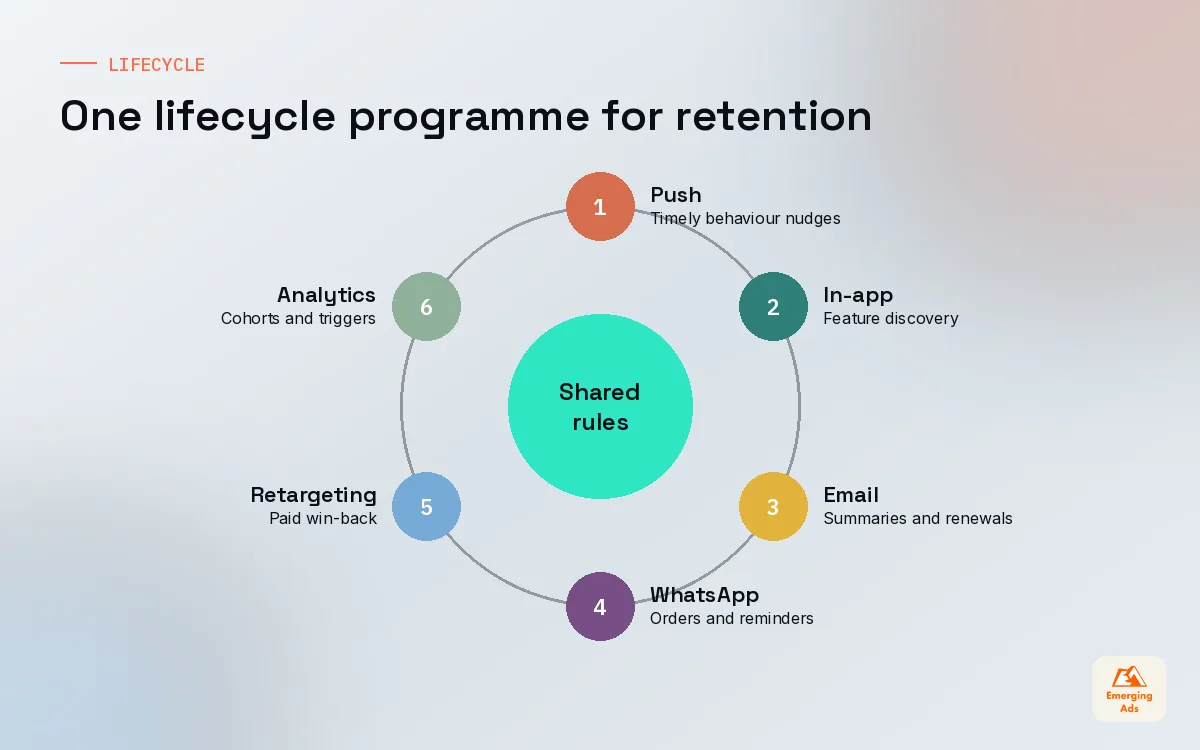
- Push, in-app messages, email and WhatsApp work best as one lifecycle programme with shared rules, not four teams sending at will.
- Win-back and app retargeting are cheaper than new installs, but only after the product reason users left has been fixed.
01What app retention actually measures (and what it hides)
App retention is the share of users from a given start date who come back and use your app on a later day. Install 1,000 people on Monday, see 250 of them open the app a week later, and your Day-7 retention for that cohort is 25 percent. That is the whole definition. Everything interesting sits in how you slice it and what you do about it.
We start almost every new app engagement here, before we touch a single campaign, because retention tells us how much the acquisition budget is really worth. A cheap install that never returns is the most expensive thing in your ad account. A pricier install that is still active at Day 30 often pays for itself several times over. If you have read our app user acquisition guide, you will recognise this as the reason we buy on cost per retained user rather than cost per install.
Classic, rolling and bracket retention
There is more than one way to count a returning user, and teams often compare numbers that were calculated differently. Agree on one before anybody presents a chart.
| Method | Counts a user as retained if | Best used for |
|---|---|---|
| Classic (Day N) | They open the app on exactly day N | Daily habit apps, games, social |
| Rolling (unbounded) | They open the app on day N or any day after | Low frequency apps such as travel or finance |
| Bracket (range) | They open the app at least once inside a window, for example days 7 to 13 | Weekly use cases like meal planning or fitness |
Rolling retention always looks higher than classic retention, so a vendor deck quoting rolling numbers next to your classic numbers will make you feel worse than you should. Bracket retention is our favourite for apps with a natural weekly rhythm, because it stops a user who trains on Tuesdays from being marked as lost every Wednesday.
02Reading app retention curves and cohorts
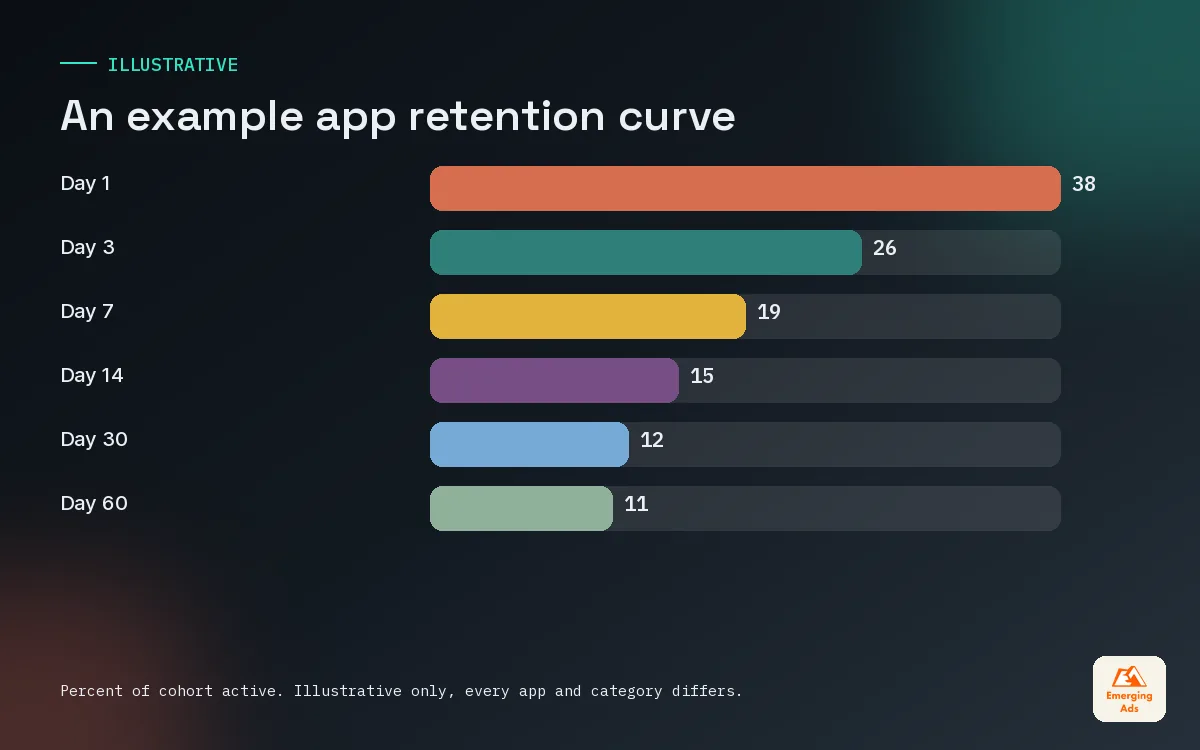
A single retention number is a snapshot. A curve is a story. Plot the percentage of each weekly install cohort still active on every day from Day 0 to Day 60, and three questions answer themselves: how steep is the first drop, where does the curve start to flatten, and at what height does it settle.
- The early cliff. The fall from Day 0 to Day 1 is mostly about the first session and the store promise. A steep cliff here points to onboarding or to ads that attract the wrong people.
- The bend. Somewhere between Day 3 and Day 14 a healthy curve starts to bend and level out. The later it bends, the longer users take to find a habit.
- The floor. The level where the curve flattens is your loyal core. A curve that never flattens and keeps sliding towards zero means the app has not yet found a lasting reason to return.
Cohorts tell you whether changes worked
Lay weekly cohorts side by side in a triangle table, newest at the bottom. When you ship a new onboarding flow, the cohorts after the release should sit visibly higher at Day 1 and Day 7 than the ones before. If they do not, the change did not work, however good the design looked. We build these views in Mixpanel or Amplitude and mirror the headline cohorts in a Looker Studio dashboard so the founder, the product lead and the media buyer all look at the same numbers on Monday morning.
Two warnings. First, small cohorts are noisy, so wait until a cohort has a few hundred users before drawing conclusions. Second, a cohort full of users from a new channel or country will behave differently, so segment before you celebrate or panic.
03The first session: where app retention is won or lost
On most accounts we look at, the biggest single drop in the whole lifetime of a user happens before the end of their first session. People install on impulse from an ad, open the app once, meet a sign-up wall, a permissions prompt and a tutorial carousel, and leave. They never saw the thing that made them tap install in the first place.
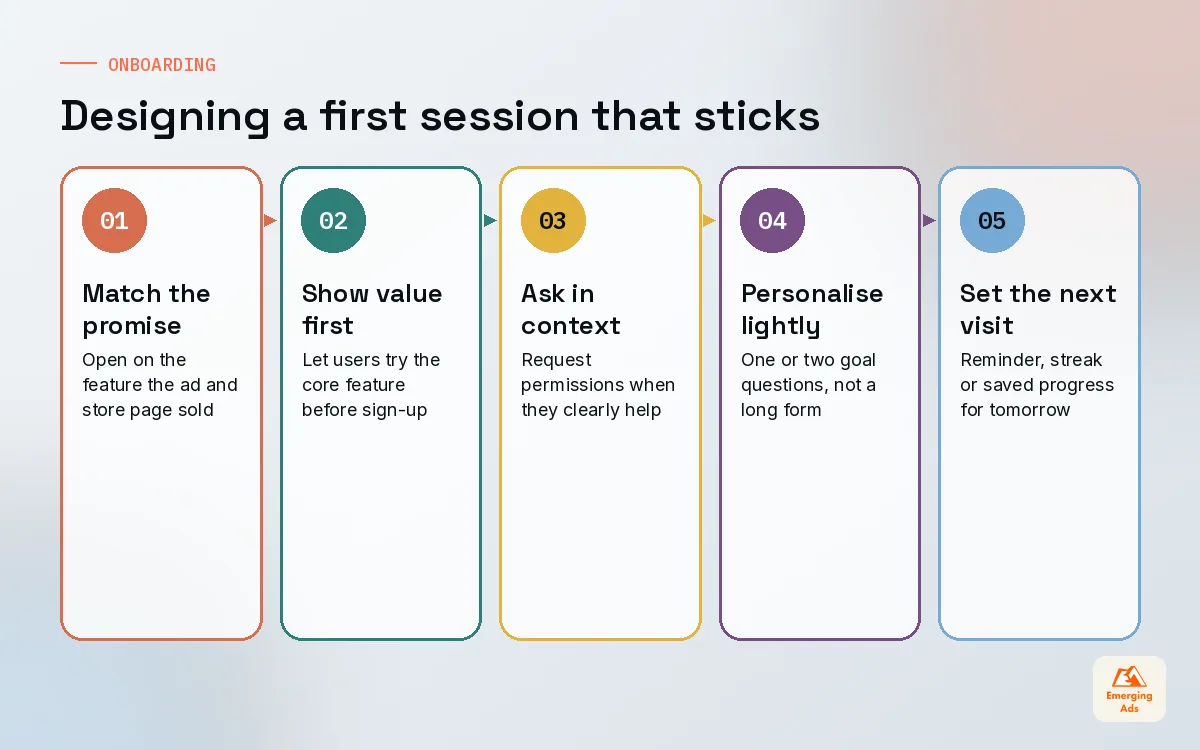
Our rule for onboarding is simple: show the value before you ask for anything. Every screen between the icon tap and the first useful moment needs to justify its place. When we audit a first session we literally count taps and seconds from launch to value, then try to halve both.
- Match the promise. The first screen should echo the ad and store page the user just saw. If the ad was about tracking spending, open on spending, not on a generic welcome.
- Delay the account wall. Let people try the core feature as a guest where the product allows it, then ask them to save their progress.
- Ask for permissions in context. Request notification or location access at the moment it clearly helps, with a short pre-prompt that explains why.
- Personalise with one or two questions. A quick goal question lets you tailor the first screen and later messages without a long form.
- End with a reason to return. Set up the next session before this one ends: a reminder, a streak, a saved item, a plan for tomorrow.
Design matters here more than many teams expect. We often prototype two or three onboarding variants in Figma, test them with a handful of real users, then ship the strongest as an experiment. A fitness client cut their first session from eleven screens to five, moved the sign-up to after the first workout preview, and saw Day-1 retention for paid cohorts climb noticeably within two weeks.
04Activation moments that predict Day-30 retention
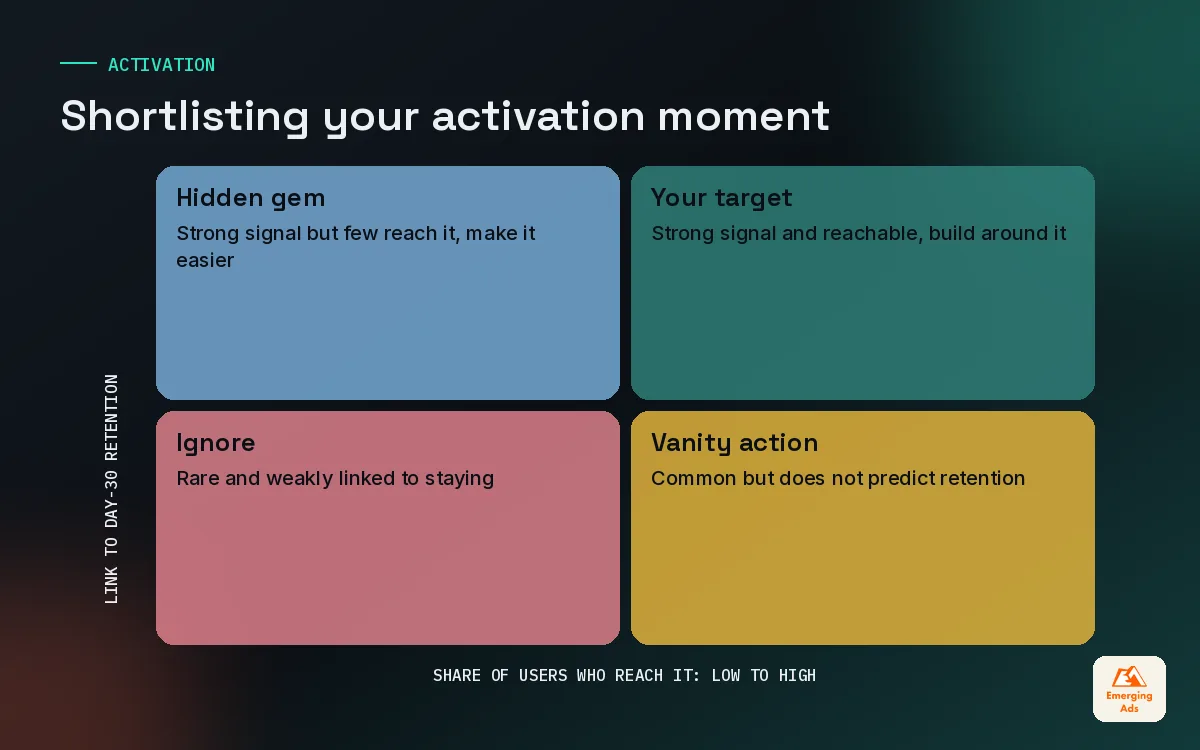
An activation moment is an early action that separates users who stay from users who leave. For a budgeting app it might be connecting a bank account. For a language app it might be finishing three lessons in the first week. For a marketplace it might be saving two items or sending a first message to a seller.
You find it with data, not opinion. Take users who installed at least 45 days ago, split them into those still active at Day 30 and those who were not, and compare what each group did in their first three to seven days. The action that shows the biggest gap, and that enough users can realistically reach, is your candidate.
| App type | Candidate activation moment | Typical window | What usually blocks it |
|---|---|---|---|
| Subscription fitness | Completes two workouts | First 7 days | Plan feels too hard on day one |
| Fintech or budgeting | Links an account or logs 5 expenses | First 3 days | Trust and security worries |
| Ecommerce | Saves items or sets a size profile | First 7 days | Browsing without personal context |
| Edtech | Finishes the first full lesson | First 2 days | Lesson too long for a phone session |
| On-demand services | Completes a first order | First 14 days | Delivery fee shock at checkout |
These are starting hypotheses from our own work, not benchmarks. Your data will point to something more specific. Once the moment is clear, it becomes the goal for onboarding, the trigger for lifecycle messages and, often, a better optimisation event for paid campaigns. Our product analytics team usually spends the first fortnight of a retention project on exactly this question, because everything downstream depends on it. If your events are not yet trustworthy, our mobile measurement partner guide covers how to plan them properly.
05Push and in-app messaging without burning goodwill
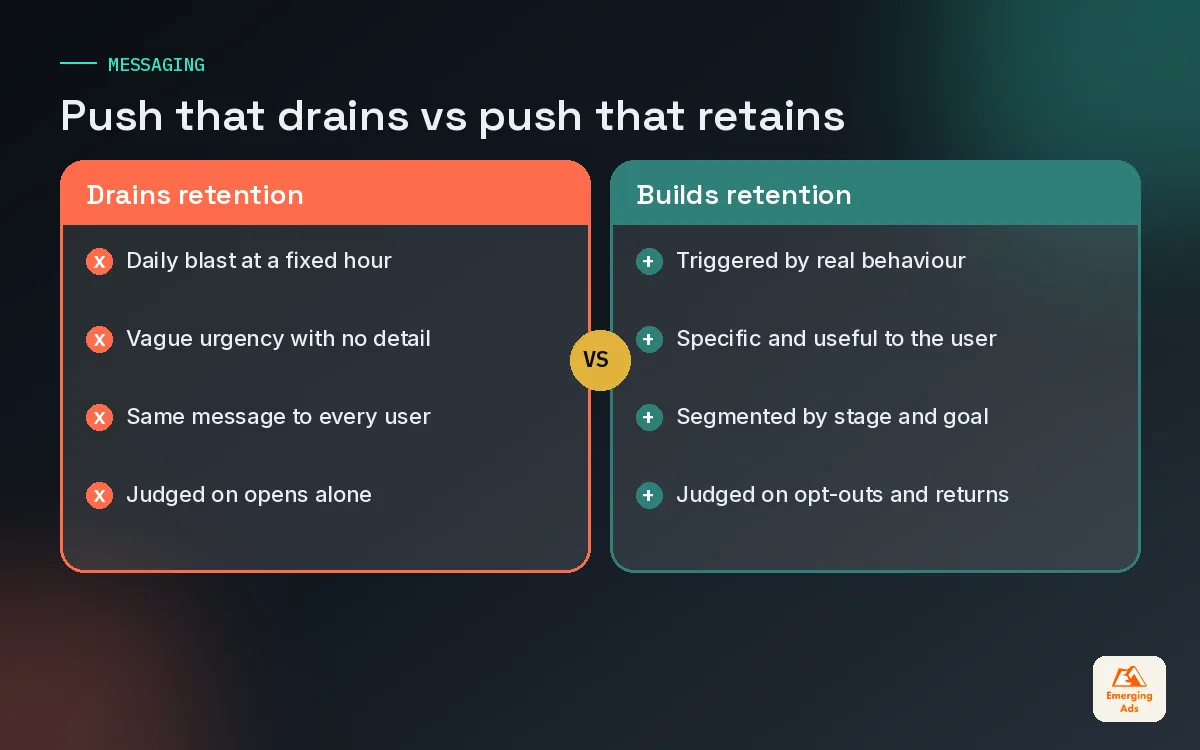
Push notifications are the loudest retention tool you own and the easiest to ruin. On iOS, and on recent Android versions, users have to grant permission before an app can send them, which means every irrelevant message spends trust you cannot easily earn back. A user who switches notifications off is far harder to bring back than one who simply ignored a message.
Rules we set on every account
- Trigger on behaviour, not the calendar. A message that fires because someone left a lesson half finished beats a daily blast at 9am.
- Cap frequency per user. Agree a weekly ceiling across all push types, and let transactional messages such as order updates sit outside it.
- Respect local time. Schedule by the user’s time zone and avoid late evenings unless the product is an evening product.
- Write like a person. Specific beats clever. “Your 3 saved trainers are back in your size” beats “Don’t miss out!”
- Measure the cost, not just the open. Track opt-outs and uninstalls in the hours after each send alongside the click rate.
In-app messages are the quieter partner. They reach users who are already inside the app, so they suit feature discovery, upgrade prompts and gentle nudges towards the activation moment. Keep them short, dismissible and tied to what the user is doing on that screen.
06Lifecycle email and WhatsApp: retention outside the app
Many app teams treat email as a web habit and ignore it. That is a mistake. Email reaches people who have turned push off, it can carry far more context, and it is the natural place for weekly summaries, renewal reminders, receipts and longer stories about what the app can do. We build these as email automation flows that read the same events as the product, so a user who reached the activation moment gets a different sequence from one who stalled.
In markets where people live inside messaging apps, a consented WhatsApp marketing programme can outperform both push and email for order updates, appointment reminders and abandoned basket nudges. It is personal, so it needs even tighter rules on frequency and relevance.
| Channel | Best for | Watch out for |
|---|---|---|
| Push | Short, timely nudges tied to behaviour | Permission loss after irrelevant sends |
| In-app message | Feature discovery and upgrade prompts | Interrupting the task the user came for |
| Summaries, education, renewals, receipts | Generic newsletters nobody asked for | |
| Order updates, reminders, high intent nudges | Over messaging a very personal channel | |
| SMS | Security codes and urgent service messages | Cost and low tolerance for promotion |
The real gain comes from treating these as one programme. One owner, one shared frequency cap, one map of which event triggers which message on which channel. For apps with a longer consideration period, such as fintech or education, we add lead nurture automation for users who signed up but never completed a first key action.
07Win-back and app retargeting for lapsed users
Some users will drift away whatever you do. The question is which ones are worth bringing back and how much you should pay to do it. Start by segmenting lapsed users by what they did before they left. Someone who paid twice and then went quiet is a very different prospect from someone who opened the app once.
- Recently lapsed, high value. Worth a personal email, a push if permission remains, and a paid retargeting audience.
- Lapsed after onboarding. Usually a product problem. Fix the first session first, then invite them back to the improved version.
- Long lapsed, low value. Often cheaper to leave alone than to chase.
Paid app retargeting works best when the message is specific: a new feature they asked for, a saved basket, a lesson they left half done, a renewed offer. We run these through Meta app campaigns and Google Ads with deep links that open the exact screen the ad mentions. Sending a returning user to the home screen throws away most of the intent the ad created.
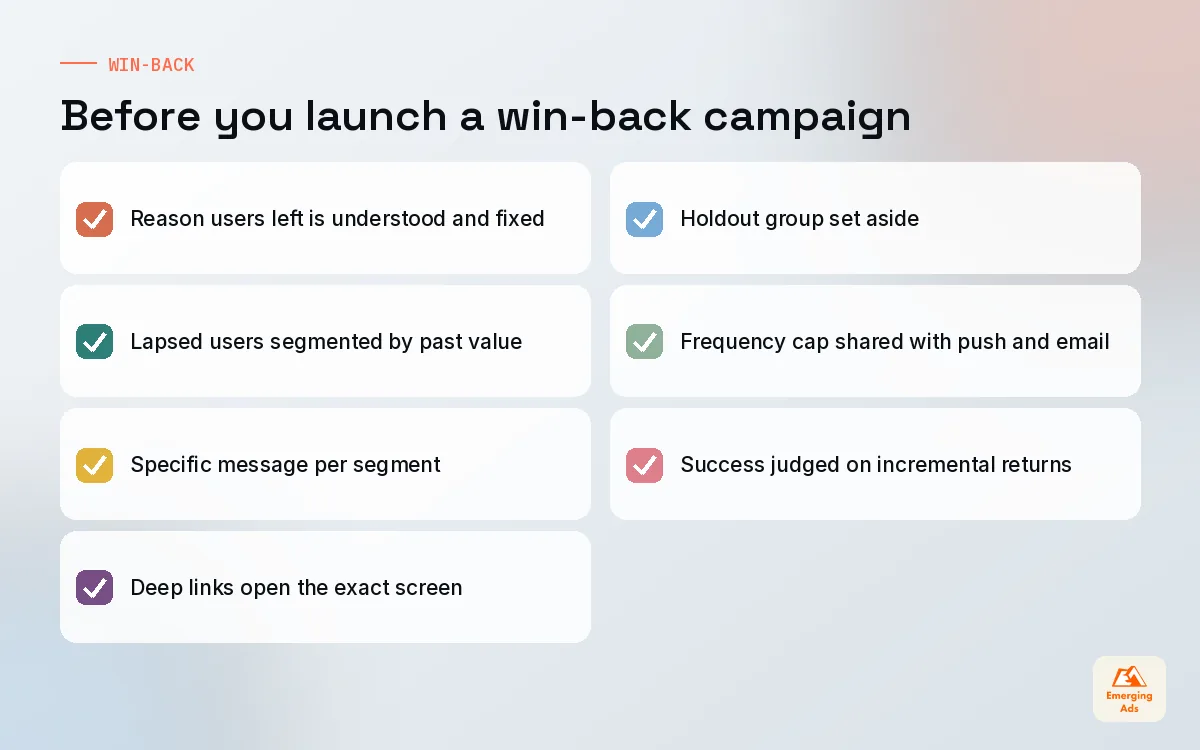
Never pay to bring a user back to the same experience that made them leave.
Measure win-back on incremental return, not on raw re-opens. Hold out a slice of each lapsed segment from the campaign and compare. If the held-out group returns at nearly the same rate, the spend was buying users who were coming back anyway.
08Product changes that move Day-7 and Day-30 app retention
Messaging can only amplify value that already exists. When retention curves refuse to flatten, the fix is nearly always in the product. These are the changes we have seen move Day-7 and Day-30 app retention most reliably across subscription, ecommerce, edtech and service apps.
- Shorten time to value. Cut screens, defaults and forms between install and the first useful result.
- Build a natural return trigger. Streaks, saved progress, weekly plans or new content on a predictable rhythm give people a reason to come back without being asked.
- Make progress visible. Users who can see what they have built, learned or saved are far less likely to walk away from it.
- Fix the slow and the broken. Crash rates, slow screens and failed payments quietly drain retention. Review them with the same seriousness as campaign results.
- Align acquisition with the product. Ads that promise something the app does not deliver lift installs and sink Day 7. Retention and creative need to be reviewed together.
That last point is where marketing and product meet. When a client tells us retention dropped, the first thing we check is whether a new campaign, audience or creative angle started that week. Very often the product did not change at all. The users did.
09Where to start with app retention this month
If retention feels like a big, vague problem, shrink it. Pick one cohort view everyone agrees on, find your activation moment, rebuild the first session around reaching it, and set up three behaviour triggered messages before you add any more. Then layer in win-back and retargeting once the core experience deserves a second chance.
Retention work touches product, data, lifecycle and paid media, which is why we run it as one programme rather than a set of separate tasks. You can see how that fits with the rest of our work on the EmergingAds services page, or head back to the youremergingads.com homepage for the rest of our app growth series. For a view on what you pay to acquire users before you try to keep them, our breakdown of app install campaign costs is a useful companion.
Frequently asked questions
Straight answers to what clients ask us most about app retention.
What is app retention?
How do you calculate app retention rate?
What is the difference between Day-1, Day-7 and Day-30 retention?
Why does my retention curve never flatten?
What is an activation moment in an app?
How many push notifications are too many?
Should we ask for push permission on the first screen?
Does lifecycle email still work for mobile apps?
When should we start app retargeting lapsed users?
Can paid acquisition hurt app retention?
Which tools do we need to track app retention?
Losing users before Day 7 and not sure why?
We will pull your cohorts apart, find where users drop and hand you a short, ranked list of product, messaging and retargeting fixes. No jargon, no fluff.
Book your free audit